왜 사용해야 하나요?
임베디드 경험
Obsidian 사이드바에서 직접 NotebookLM을 사용하세요. 더 이상 탭을 전환할 필요가 없습니다.
직접 전송
직접 API 호출을 통해 클릭 한 번으로 노트, 선택 영역 또는 전체 폴더를 NotebookLM으로 전송합니다.
설정 가이드
일반 설정
notebooklm.settings.general.proxy
notebooklm.settings.general.debug
워크플로우
1
Open Panel
Click the book icon in the ribbon to open the NotebookLM webview.
2
Login
Sign in with your Google account once. The session persists.
3
Send Content
Right-click any note or selection and choose "Send to NotebookLM".
4
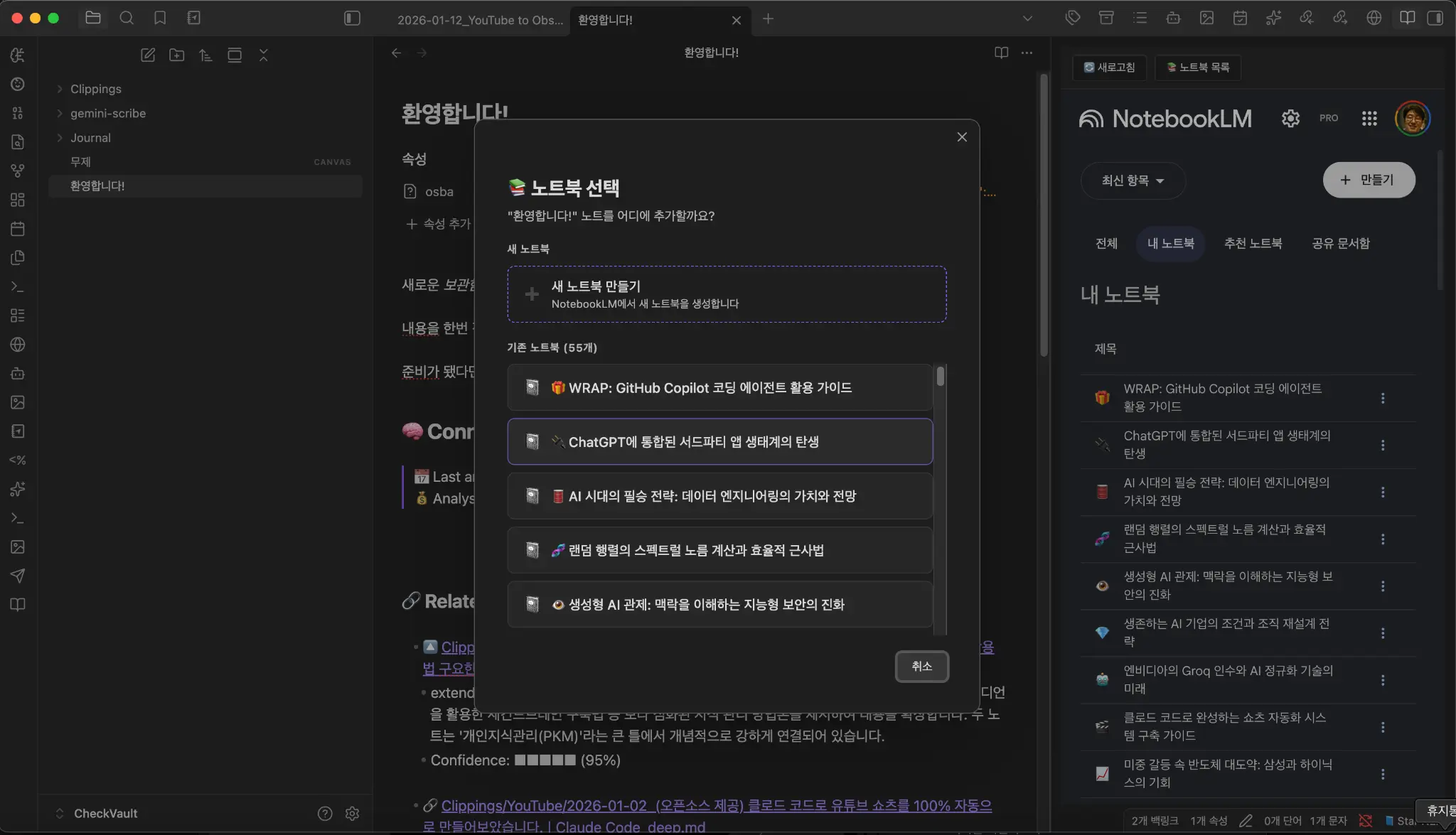
Select Notebook
Choose an existing notebook or create a new one to store your source.
아키텍처
Obsidian Note
│
▼
NotebookLM Webview (Sidebar)
│
│ (Direct API / RPC)
▼
Google NotebookLM
Unlike other tools that rely on DOM manipulation, Star NotebookLM uses direct API calls for faster and more reliable transfers.
설치 방법
BRAT을 통한 설치
- 1Install BRAT plugin
- 2Add Beta plugin:
- starhunt/star-notebooklm